
The e!Sankey alternative that computes your missing flows
e!Sankey (ifu Hamburg / iPoint) is a polished drawing tool, widely used across industry. We made three different choices: we run in the browser, our engine doesn't just check your balances (it reconciles your data and fills in what's missing), and the result publishes as an interactive diagram.
| e!Sankey | OpenSankey / MFASankey | |
|---|---|---|
| Platform | Windows desktop | Any browser, any OS |
| Licence model | Per seat or floating licence, several editions depending on features | Online subscription, free editor with no account (see pricing) |
| Excel workflow | Live links to workbooks | Structured Excel templates, import/export round-trip |
| Your existing files | Proprietary .sankey format | Opens .sankey files directly in the browser |
| Balance handling | Balance check on processes | Constrained reconciliation + uncertainty + completion from partial data |
| Sharing | Static exports, interactive SVG | Hosted interactive diagrams, embeddable for free viewers |
| Openness | Proprietary | Open-source editor, open file format, exportable data |
Node hierarchies, views, the Excel round-trip and the material flow analysis engine belong to the paid plans: see pricing.
Who e!Sankey is for
Anyone who has to produce, on a Windows workstation, a carefully crafted flow diagram under tight graphical control: engineering consultancies, process engineering, corporate energy and environment departments. Its home turf is industrial processes and report or presentation deliverables. It is a mature product, with a long track record on that market.
What we learned from e!Sankey
Immediate manual drawing: you drop a process, pull an arrow, type a value. Graphical
control is fine-grained: an unlimited number of hand-placed fold points, accentuated
tips that keep very small flows visible, a color gradient along a flow, a bundled clipart
library. Its keyword label templates
({EntryName} {Quantity} {UnitName}, with prefixes, suffixes and
replacements) are one of the features its users appreciate most, and we have nothing as
free-form yet. Its balance warning marker on a process lets you check a diagram at a
glance, without running any calculation. And its live link to Excel cells updates the
diagram when the workbook changes.
What we chose to do differently
e!Sankey is a drawing tool: a flow value is an input, never a result. Every arrow carries the number you typed in. Its calculation-oriented edition adds unit operations (merge, sum, difference, split, transform) that recombine values you already bring along. None of them solves an under-determined system: if you do not know the value of half your flows, no function in the software computes them for you.
That limit is not an oversight, it follows from the model: an e!Sankey diagram carries one value per flow entry, with no propagated uncertainty, no constraint between distant flows, no result interval. And it brings a second one along: since a diagram holds a single set of values, a second year or a second scenario means a second file. And collapsible node hierarchies, which let you present the same model at several levels of detail, do not exist.
What we add: a balance from about 10% of known data
Take a waste flow study over a territory. You have the tonnages entering the civic amenity site (weighbridge readings, reliable to within a few percent), two invoices from downstream operators, a sorting reject rate announced by a plant operator, and an expert range for home composting. You are missing the value of some forty of the forty-five flows in the diagram.
In a drawing tool, the study stops there. You have to estimate the forty missing values by hand, on a calculator, hoping that inputs and outputs add up at every node, then start over the day one more data point arrives.
A material flow analysis engine takes the problem from the other end. Every node is an equation: what comes in equals what goes out. Every known ratio, every range, every uncertainty becomes one more constraint. The five measured values and all of those constraints form a system that the solver resolves: it computes the unknowns, adjusts the measurements that contradict each other along the way (within the uncertainty you gave them) and returns an interval rather than a single value wherever the information remains insufficient.
That is what "producing a balance from about 10% of known data" means: not guessing, but letting the structure of the system carry the information the measurements do not provide. The counterpart is real, and worth stating: you have to describe that structure (the nodes, the flows, the constraints) and a system with too few constraints returns wide intervals. But a wide interval is honest information, where an invented value is not.
Bring your e!Sankey diagrams with you
The editor opens .sankey files directly: File → Open, pick your diagram,
done: no conversion step, no server upload, the file is read entirely in your browser.
Processes keep their positions and colors, arrows carrying several materials become
parallel flows, and each e!Sankey entry becomes a flow tag you can filter on.
When to stay on e!Sankey
If your deliverable is a report or presentation figure drawn to the pixel, if you rely on the color gradient along a flow, on free-text label templates, on the free line as a graphic element, on searching for an element inside a very large diagram, or on the live link to an Excel workbook: those features exist there and not yet here, and the table below lists them honestly. If your workstation is a locked-down Windows PC and your data is already complete and consistent, switching will not buy you much.
See a .sankey file open in the editor
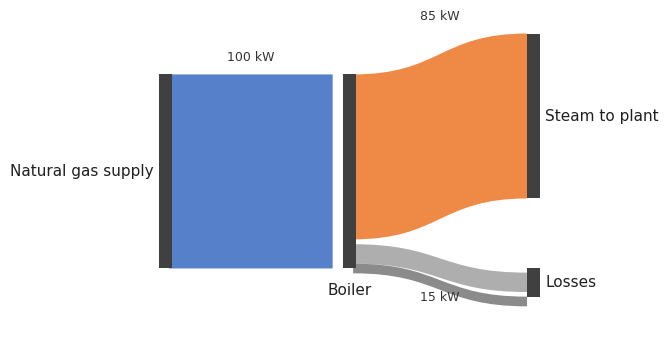
An example diagram in e!Sankey's own file format, written by us. Click it and the editor parses the file in your browser, no account needed.
Feature by feature: e!Sankey 5 and OpenSankey
We wrote this table while building our .sankey importer, working from the
e!Sankey 5 manual and more than a hundred real diagrams. Each row gets an honest verdict:
some things are strictly equivalent (and survive file import), some exist in a different
form, and some exist on only one side. Spotted a mistake? Tell us and we will fix it.
Arrows & flows
| Capability | e!Sankey 5 | OpenSankey / MFASankey | Verdict |
|---|---|---|---|
| Orthogonal routing with free waypoints | Unlimited fold points, placed by hand | Routed flows with editable waypoints; e!Sankey paths are imported point by point | Same |
| Curved arrows, adjustable curvature | Rounded corners | Bézier curvature per flow | Same |
| Arrowheads and notched starts | Head/tail per arrow, incl. inverted start | Tips and source notches per flow; imported | Same |
| Visible tips on very thin flows | "Arrow spikes" | Minimum tip width option | Same |
| One arrow carrying several materials | Compartments: one arrow, N entries | Imported as parallel flows; each entry becomes a tag you can filter and color by | Close |
| Flow border | Yes | Yes | Same |
| Color gradient along a flow | Source-to-target gradient | Not available yet | e!Sankey only |
Labels & numbers
| Capability | e!Sankey 5 | OpenSankey / MFASankey | Verdict |
|---|---|---|---|
| Automatic labels (name, value, unit) | Components switchable per arrow | Same, per flow or per style; imported | Same |
| Rotated / angled labels | Any angle | Any angle; e!Sankey angles are imported exactly | Same |
| Number display formats | Decimal count per unit type | Imported and applied | Same |
| Custom label templates | Format strings: {EntryName} {Quantity} {UnitName} + text operations | Structured label composition today; keyword templates are in development | e!Sankey only |
| Percentage labels | Share of flow, model, or node input/output | The percentages exist in the data model; import mapping is pending | Close |
Nodes & processes
Capability e!Sankey 5 OpenSankey / MFASankey Verdict Shapes Rectangle, rounded, ellipse Same set plus capsule Same Icons and images in nodes ~100 bundled cliparts + own images Icon catalog + own images; process images are imported Close Node size adapts to flow widths Auto-adapt Same Same Invisible junction points Hidden processes gathering flows Reproduced at import: flows converge through the junction as in the original Same Align / distribute commands Align edges, distribute evenly Snap grid, magnetism and auto-layout instead of one-shot commands Close Balance check on a process Warning marker + balance label (in / out / difference) A full reconciliation engine instead: imbalances are not just flagged, they are resolved. A light visual check is planned. Close
Units & scale
Capability e!Sankey 5 OpenSankey / MFASankey Verdict Unit types with conversion factors Per unit type Same; imported with their coefficients Same Diagram scale Width per max flow, per unit type The e!Sankey scale is recomputed exactly at import Same Small-flow threshold, hide zero flows Both options Both options; imported Same Several datasets on one diagram One value per entry Tag trees: years, scenarios, any dimension on the same flows OpenSankey only
Around the diagram
Capability e!Sankey 5 OpenSankey / MFASankey Verdict Text zones, rectangles, images Free graphic elements Same; imported, embedded images included Same Legend Entries legend Legend with filtering; position imported Same Comments on arrows Comment field Imported as tooltips on the flow Same Free line element Yes Not available yet e!Sankey only Supplements behind an element URL, file, or markdown text URL links today Close Excel connection Live Link to workbook cells Structured workbook round-trip + embedded spreadsheet; no live cell link Close Calculations Process operations: merge, sum, difference, split Constrained reconciliation with uncertainties: computes unknowns, not just sums Close Find an element Search in the diagram Not available yet e!Sankey only Interactive output SVG export with click-highlight and tooltips Fully interactive hosted viewer (zoom, tags, views); click-to-focus dimming is planned Close
File formats
e!Sankey 5 OpenSankey / MFASankey Native format .sankey: a ZIP holding proprietary XML plus a digital signatureVersioned open JSON + structured Excel workbook Reads the other's files No Yes: .sankey parsed entirely in your browser, no upload Data extraction Via the application Open JSON and Excel, readable by any script
Here too the door opens one way: e!Sankey cannot read our files, but we read
.sankey diagrams with their layout, colors, scales, decorations and
materials. Your originals remain untouched, so trying the migration costs nothing.